In the relentless march of technological progress, a silent casualty piles up in our drawers, closets, and landfills: our old electronics. That outdated smartphone, the laptop that can’t keep up, the tablet with a cracked screen, the digital camera replaced by your phone they all represent a critical crossroads. The default impulse for many is to consign these devices to the trash, viewing them as worthless relics of a bygone era. However, this action is one of the most detrimental mistakes we can make, both for our personal security and for the health of our planet. The narrative that old tech is useless tech is not just false; it’s dangerously shortsighted. This comprehensive guide will dismantle that myth, revealing the immense hidden value within your obsolete gadgets and providing a detailed, actionable roadmap to transform your electronic clutter into a force for good, profit, and environmental stewardship.
The Global E-Waste Catastrophe: Understanding the Scale
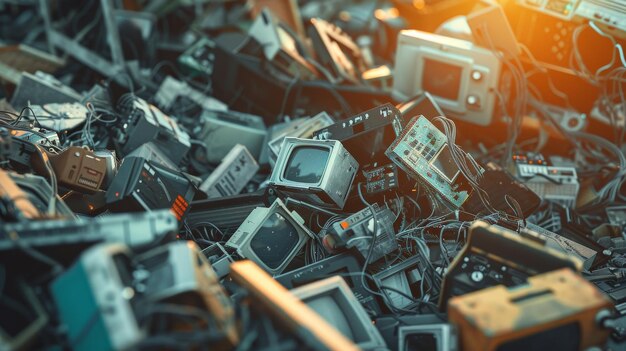
Before delving into the solutions, it is crucial to grasp the magnitude of the problem we are facing. E-waste, or electronic waste, is the fastest-growing waste stream on the planet, and its proliferation is nothing short of a global crisis.
A. Staggering Statistics: According to the Global E-waste Statistics Partnership, humanity generated a record 59.4 million metric tons (Mt) of e-waste in 2022. To visualize this, it’s equivalent to the weight of over 160,000 Statues of Liberty or nearly 6,000 Eiffel Towers. This figure is projected to soar to 74.7 Mt by 2030, nearly doubling in just 16 years. Despite this volume, only a paltry 17.4% of this waste was formally collected and recycled.
B. Toxic Time Bombs: Electronics are a complex cocktail of valuable materials and hazardous substances. When improperly disposed of in landfills, these toxins can leach into the soil and groundwater, poisoning ecosystems and posing severe health risks to nearby communities. Common hazardous components include:
* Lead: Found in cathode-ray tube (CRT) monitors and soldering, it causes damage to the nervous and reproductive systems.
* Mercury: Used in flat-panel displays, it can impair neurological development.
* Cadmium: Present in rechargeable batteries, it is a carcinogen that accumulates in the body.
* Brominated Flame Retardants (BFRs): Used in circuit boards and plastic casings, these are persistent organic pollutants linked to hormonal and developmental issues.
C. The Squandered Fortune in Urban Mines: Perhaps the most compelling economic argument against trashing electronics is the concept of “urban mining.” Our discarded devices are veritable treasure troves of precious metals. A typical smartphone contains gold, silver, copper, platinum, and palladium. It is estimated that the value of raw materials in all global e-waste generated in 2022 was approximately $91 billion, most of which was not recovered. Recycling one million laptops saves the energy equivalent to the electricity used by 3,657 US homes in a year. Mining these same materials from the earth is exponentially more destructive, requiring massive energy inputs, causing deforestation, and creating significant pollution.
The Multifaceted Value of Your Old Electronics: It’s More Than Just Money
The value locked within your old gadget is not monolithic; it exists in several distinct forms. Recognizing these can help you choose the best path for your specific device.
A. Financial Value: Direct Monetary Return
The most immediate form of value is cash. A vast and robust secondary market exists for used electronics.
* Reselling High-Demand Items: Recent-model smartphones, gaming consoles, digital cameras (especially DSLRs and mirrorless), modern laptops, and popular tablets retain significant value. Platforms like eBay, Swappa, and Facebook Marketplace are ideal for these.
* Selling for Parts: A device with a cracked screen or a faulty component is not worthless. Technicians and DIY enthusiasts are constantly seeking donor boards, cameras, buttons, and housings for repairs. Listing a “for parts” device can recoup a surprising amount of money.
* Trade-In Programs: Many manufacturers (Apple, Samsung) and retailers (Best Buy, Amazon) offer trade-in credits toward new purchases, making the upgrade cycle slightly more affordable.
* Recycling Valuable Components: While not a get-rich-quick scheme, some components have intrinsic value. The lithium-ion battery, the aluminum casing, and the copper in wiring can be harvested, though this often requires specialized knowledge.
B. Functional Value: Repurposing and Reinvention
This is where creativity meets practicality. An old device doesn’t need to perform its original function to be incredibly useful.
* Dedicated Media Streamer: Transform an old smartphone or tablet into a dedicated Netflix, Spotify, or YouTube machine for your kitchen, workshop, or child’s room. Mount it on a wall or use a dock to eliminate the need for your primary device.
* Security and Monitoring: Download a security camera app like Alfred or Manything, and your old phone becomes a full-featured, motion-activated baby monitor, pet cam, or home security camera.
* Gaming and Emulation Hub: Older laptops and mini-PCs can be repurposed into powerful emulation machines, playing classic games from consoles like the NES, PlayStation, and N64.
* Network Attached Storage (NAS): An old computer with large hard drives can be converted into a central storage server for your home, backing up all your family’s photos, videos, and documents in one place.
* Digital Photo Frame: Load a tablet with your best family photos, set it to a slideshow mode, and you have a beautiful, dynamic digital picture frame.
* Specialized Tool: Use an old device as a dedicated GPS for your car, a recipe book in the kitchen (splashproof case recommended!), or a remote control for your smart TV and streaming devices.

C. Educational and DIY Value: A Hands-On Learning Lab
For the curious mind, a non-functional piece of tech is not trash; it’s a classroom.
* Learn Hardware Repair: The “Right to Repair” movement is gaining momentum, and there’s no better way to learn than by doing. Use online guides from iFixit to practice replacing a smartphone battery, a laptop keyboard, or a charging port. The skills you gain are invaluable.
* Understand Computer Architecture: Take apart an old desktop PC with a child or student. Identify the motherboard, CPU, RAM, and hard drive. It’s a tangible, hands-on lesson in how computers work that no textbook can match.
* Component Harvesting: Salvage useful parts like LEDs, speakers, magnets (from hard drives and speakers), heatsinks, and wires for your own electronics projects, from Arduino to Raspberry Pi.
D. Sentimental and Historical Value: Preserving Digital Heritage
We often overlook the emotional connection to technology. An old device can be a time capsule.
* Tech Nostalgia: That first iPod, the Nintendo Game Boy you saved up for, or your first flip phone are artifacts of personal and technological history. Keeping them in working order preserves a piece of that story.
* Digital Archaeology: Recovering files from an old hard drive can unearth forgotten photos, school projects, and creative writing, offering a powerful glimpse into the past.
The Critical Prelude: Data Security and Sanitization
Before you sell, donate, or repurpose any device, the single most important step is to ensure your personal data is permanently and irrevocably erased. Simply deleting files or performing a factory reset is often not enough, as data recovery software can sometimes resurrect “deleted” information.
A. For Smartphones and Tablets:
1. Encrypt First: Before resetting, go to your security settings and encrypt the device. This scrambles all data, making it unreadable without the key.
2. Perform a Full Factory Reset: This will erase all user data and settings. Ensure you have backups of everything you need.
3. Remove External Storage and SIM/SD Cards: Physically remove any expandable storage and the SIM card.
B. For Computers (Windows and macOS):
1. Use Data Destruction Software: For maximum security, use a program like DBAN (Darik’s Boot and Nuke) for Windows or the built-in Disk Utility’s “Security Options” for macOS. These tools overwrite the entire drive with random data multiple times, meeting Department of Defense standards for data sanitization.
2. Reinstall the Operating System: After wiping the drive, perform a clean installation of the OS from a USB drive if you plan to give away or sell the computer.
C. For Hard Drives and SSDs:
* HDDs: Physical destruction is the most foolproof method for drives containing highly sensitive information. This involves drilling several holes through the platters or using a specialized hard drive shredder.
* SSDs: Due to their different architecture, SSDs require a “Secure Erase” command, often available through the manufacturer’s software or in the computer’s BIOS/UEFI settings.
A Comprehensive Decision Matrix: What to Do With Your Old Tech
With your data secure, you can now choose the optimal path for your device. Use this detailed matrix to guide your decision.
A. Device is Fully Functional and Less Than 5 Years Old:
* Primary Option: Sell It. Capture the highest financial return. Take clear photos, write an honest description, and research comparable prices on resale platforms.
* Secondary Option: Donate for Maximum Impact. Charities like Human-I-T, World Computer Exchange, and local schools, libraries, or community centers can put your device to immediate use, bridging the digital divide.
B. Device is Functional but Older or Has Minor Cosmetic Flaws:
* Primary Option: Repurpose It. Implement one of the creative ideas listed above (media streamer, security cam, etc.). This extracts ongoing value at no additional cost.
* Secondary Option: Donate to a Tech Recycler/Refurbisher. These organizations will either refurbish it for donation or responsibly recycle its components.
C. Device is Broken, Obsolete, or Not Worth Selling:
* Primary Option: Recycle Responsibly. This is non-negotiable. Do not throw it in the trash.
* Retail Drop-Off: Stores like Best Buy and Staples have free e-waste recycling kiosks.
* Manufacturer Take-Back: Many brands (Dell, HP, Apple) have mail-in or drop-off recycling programs.
* Municipal E-Waste Collection: Check with your local city or county government for designated e-waste collection days or facilities.
* Certified E-Waste Recyclers: Look for facilities certified by e-Stewards or R2, which adhere to the highest environmental and data security standards.
D. Device Has Sentimental or Historical Significance:
* Primary Option: Creative Upcycling. Turn it into art, a display piece, or a functional household item. For example, frame an old motherboard as geek-chic art, or embed old keyboard keys into a resin tabletop.
* Secondary Option: Archive and Store. Wipe the data, and store the device safely as a keepsake.

The Broader Impact: How Your Conscious Choices Create a Ripple Effect
The decision to responsibly manage your e-waste extends far beyond your own home. It contributes to a larger, systemic shift.
A. Supporting the Circular Economy: By selling, donating, or repairing, you are actively participating in a circular economic model. This model prioritizes keeping products and materials in use for as long as possible, directly countering the wasteful “take-make-dispose” linear economy. It reduces the demand for virgin materials, conserves energy, and fosters local repair and refurbishment industries, creating green jobs.
B. Advocating for the Right to Repair: Choosing to repair a device is a political and environmental statement. It signals to manufacturers that consumers demand products that are durable, repairable, and supported with parts and schematics. This movement is crucial for forcing change at a corporate level, leading to longer-lasting products and a dramatic reduction in e-waste.
C. Conserving Precious Resources and Reducing Carbon Emissions: Every gram of gold recovered from a circuit board is a gram that doesn’t have to be mined from the earth. The recycling process for metals like aluminum and copper uses up to 95% less energy than primary production. Your actions directly contribute to lower greenhouse gas emissions and the preservation of natural habitats.
Conclusion: Your Old Tech Deserves a Better Ending
That drawer of forgotten gadgets is not a graveyard; it is a reservoir of untapped potential. It holds the keys to financial return, creative projects, educational opportunities, and, most importantly, a healthier planet. The era of mindless disposal must end. By embracing the principles of reuse, repurposing, and responsible recycling, we can collectively stem the toxic tide of e-waste. The next time you hold an old piece of technology, see it not for what it was, but for all that it could still be. The power to redefine its legacy and our own is literally in your hands. Take the first step today; your future self, and the planet, will thank you for it.