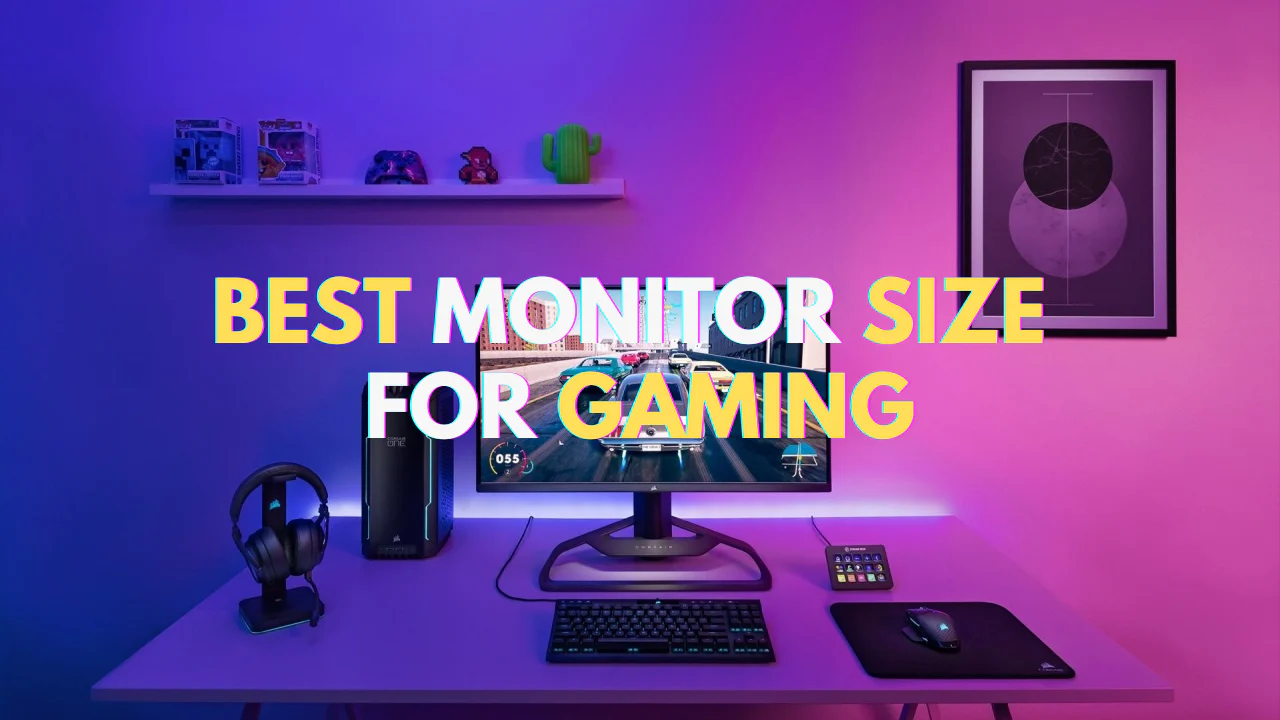
In the immersive universe of PC gaming, your monitor is the single most critical component that bridges the gap between the raw computational power of your rig and your own perception. It is the canvas upon which digital worlds are painted, the window through which you witness epic narratives unfold, and the decisive tool that can mean the difference between victory and defeat in competitive play. While enthusiasts often pour thousands into CPUs and graphics cards, the display is an afterthought for many a grave mistake that can bottleneck even the most powerful systems.
Choosing the right gaming monitor is not merely about picking the biggest or brightest screen. It is a nuanced process of balancing performance, visual fidelity, and budget across a landscape of ever-evolving technologies. This comprehensive guide is designed to demystify the entire selection process. We will delve deep into every specification, explaining not just what they mean, but how they impact your actual gaming experience. By the end of this article, you will be equipped with the knowledge to make a confident, informed purchase that will elevate your gaming for years to come.
A. Decoding the Core Specifications: The Language of Performance
Before you can choose, you must understand the fundamental metrics that define a monitor’s capabilities. These are the non-negotiable pillars of performance that should form the foundation of your decision.
A.1. Screen Resolution: The Clarity Conundrum
Resolution refers to the number of distinct pixels that make up the display image, expressed as width x height. Higher resolutions mean more pixels, resulting in a sharper, more detailed, and less “pixelated” image. However, this comes at a significant performance cost.
-
Full HD (1920×1080): The long-standing standard. It offers solid performance and is less demanding on your graphics card (GPU), making it an excellent choice for budget builds or high-frame-rate competitive gaming where performance trumps visual splendor. At screen sizes above 24 inches, individual pixels may become noticeable.
-
Quad HD / 2K (2560×1440): The current sweet spot for most mid-to-high-end gaming PCs. QHD offers a substantial 78% increase in pixel density over 1080p, delivering dramatically sharper images and more screen real estate without being as punishing as 4K. It provides the perfect balance of enhanced visual fidelity and manageable performance requirements with modern GPUs.
-
Ultra HD / 4K (3840×2160): The pinnacle of detail. 4K renders games with breathtaking clarity, making textures, foliage, and distant objects incredibly crisp. The trade-off is immense; driving games at 4K with high frame rates requires a top-tier, expensive GPU (like an RTX 4080/4090 or RX 7900 XTX). It is best suited for gamers who prioritize visual immersion in single-player experiences and have the hardware to support it.
-
Ultrawide (e.g., 3440×1440): This is not just a resolution but a form factor. Ultrawide monitors offer a 21:9 aspect ratio compared to the standard 16:9, providing a wider field of view that can be incredibly immersive in racing sims, flight simulators, and open-world RPGs. They effectively give you more peripheral vision, but ensure your favorite games support the 21:9 aspect ratio natively.
A.2. Refresh Rate (Hz): The Fluidity Factor
If resolution is about static clarity, refresh rate is about dynamic smoothness. Measured in Hertz (Hz), it indicates how many times per second the monitor can update with new information. A 60Hz monitor refreshes 60 times per second, while a 240Hz monitor refreshes 240 times.
-
The Impact on Gameplay: A higher refresh rate translates to significantly smoother motion, reduced motion blur, and a decrease in perceived input lag. In fast-paced games like first-person shooters (e.g., *Counter-Strike 2*, Valorant, Call of Duty), this fluidity provides a tangible competitive advantage, allowing you to track moving targets more easily and react more quickly.
-
The Standard Tiers:
-
60Hz: The bare minimum. Feels choppy by modern gaming standards.
-
144Hz: The new baseline for gaming. Offers a massive leap in smoothness over 60Hz and is widely available at accessible prices.
-
240Hz and Above: The domain of the serious esports competitor. The difference between 144Hz and 240Hz is more subtle than 60Hz to 144Hz, but professional players swear by the extra responsiveness.
-
Crucial Consideration: To benefit from a high refresh rate, your PC must be capable of producing frame rates (FPS) that match it. A 240Hz monitor is wasted if your GPU can only output 90 FPS in your game of choice.
A.3. Response Time: The Ghost of Lag Past
Often confused with input lag, response time (measured in milliseconds, or ms) is the time it takes for an individual pixel to change from one color to another, typically from grey-to-grey (GtG). A slow response time can result in “ghosting” or “trailing,” where fast-moving objects leave a faint, blurry trail behind them.
-
The Marketing GtG: Most manufacturers advertise a “GtG” response time, with 1ms being the common marketing claim. It’s important to note that many 1ms ratings are achieved using aggressive overdrive settings that can introduce inverse ghosting (coronas or overshoot). A realistic, well-tuned 4ms or 5ms is often imperceptible and preferable to a poorly implemented 1ms mode.
-
MPRT (Moving Picture Response Time): This is another, less meaningful metric that uses backlight strobing to reduce motion blur. It does not represent the pixel’s actual transition speed.

A.4. Adaptive Sync Technologies: Tearing and Stuttering Eliminated
This is arguably one of the most important gaming technologies of the last decade. Screen tearing occurs when your GPU’s frame rate is out of sync with your monitor’s refresh rate, causing a disjointed image. Traditionally, V-Sync fixed this but introduced significant input lag. Adaptive Sync is the dynamic solution.
-
AMD FreeSync: AMD’s royalty-free standard that synchronizes the monitor’s refresh rate to the GPU’s frame rate. It has tiers: standard FreeSync, FreeSync Premium (which adds low framerate compensation and requires at least 120Hz), and FreeSync Premium Pro (which includes HDR certification).
-
NVIDIA G-SYNC: NVIDIA’s original proprietary solution, which uses a hardware module built into the monitor. It typically offers a robust, guaranteed experience but adds to the monitor’s cost.
-
NVIDIA G-SYNC Compatible: This is NVIDIA’s certification program for standard Adaptive-Sync (often FreeSync) monitors. These monitors work with G-SYNC when using an NVIDIA GPU, providing a similar tear-free experience without the premium cost. For most gamers, a G-SYNC Compatible or FreeSync Premium monitor is the ideal choice.
B. Panel Technology: The Heart of the Image
The panel type is the underlying technology that creates the image. It is the primary determinant of color performance, viewing angles, and response times. There are three main types, each with distinct strengths and weaknesses.
B.1. Twisted Nematic (TN): The Speed Demon
TN panels were the longtime favorite for competitive gamers due to their fast native response times and high refresh rates at low costs.
-
Advantages:
-
Fastest native response times (minimal ghosting).
-
Lowest input lag.
-
Typically the most affordable option for high refresh rates (e.g., 240Hz).
-
-
Disadvantages:
-
Poor color reproduction and limited color gamut.
-
Very narrow viewing angles; colors shift dramatically when viewed from above or below.
-
Often underwhelming contrast ratios, leading to “washed out” darks.
-
Verdict: Choose a TN panel only if you are a hyper-competitive esports player who values every millisecond of advantage above all else, including image quality.
B.2. In-Plane Switching (IPS): The All-Round Virtuoso
IPS panels have become the dominant choice for the vast majority of gamers because they strike an excellent balance between performance and image quality.
-
Advantages:
-
Superior color accuracy and vibrancy.
-
Excellent wide viewing angles (178/178) with minimal color shift.
-
Great for content consumption and creative work in addition to gaming.
-
-
Disadvantages:
-
Slower native response time than TN, though modern “Nano-IPS” and “Fast-IPS” variants have closed the gap significantly.
-
Potential for “IPS glow,” a faint glow in the corners of the screen on dark images, visible in dark rooms.
-
Generally more expensive than TN panels.
-
Verdict: IPS is the recommended panel type for most gamers. It offers fantastic image quality with response times that are more than fast enough for all but the most extreme competitive play.
B.3. Vertical Alignment (VA): The Contrast King
VA panels sit between TN and IPS, specializing in delivering deep blacks and high contrast ratios.
-
Advantages:
-
The best contrast ratios (typically 3000:1 to 6000:1, compared to 1000:1 for IPS/TN). This means inky blacks and more impactful images, especially in dark scenes.
-
Better color reproduction and viewing angles than TN.
-
No IPS glow.
-
-
Disadvantages:
-
The slowest response times, particularly in dark-to-light transitions. This can lead to noticeable “black smearing” or “ghosting” in fast-paced games.
-
Can suffer from color shifting at extreme angles.
-
Verdict: VA is an excellent choice for gamers who primarily play in dark rooms and enjoy immersive, story-driven games, horror titles, or simulators where contrast is king. It is less ideal for fast-paced FPS games due to potential smearing.
C. Advanced Features and Form Factors
Beyond the core specs, modern monitors offer a host of features that can enhance your experience.
C.1. High Dynamic Range (HDR)
HDR expands the range of both contrast and color, allowing for brighter brights, darker darks, and a much wider color palette. A true HDR experience requires not just software support but hardware capable of high peak brightness and local dimming.
-
HDR400: A basic certification requiring only 400 nits of brightness and no local dimming. The improvement over SDR is often minimal.
-
HDR600, HDR1000: These higher tiers require 600 and 1000 nits of brightness, respectively, and often feature robust local dimming zones. This is where HDR truly shines, delivering stunning, lifelike images. Look for monitors with DisplayHDR 600 or higher certification for a worthwhile HDR experience.
C.2. Curved Monitors
Curved screens are designed to wrap your field of view, increasing immersion and reducing eye strain by ensuring all parts of the screen are at a consistent distance from your eyes. They are most effective on larger, ultrawide monitors (34 inches and above). The curve is measured in ‘R’ (e.g., 1800R), which indicates the radius of the circle the curve would form.
C.3. Connectivity: Ports Matter
Ensure the monitor has the right ports for your needs.
-
DisplayPort (1.4+): The gold standard for PC gaming, essential for supporting high resolutions and refresh rates.
-
HDMI (2.1): Critical for next-generation consoles (PS5, Xbox Series X) to enable 4K at 120Hz. For PC gamers, HDMI 2.1 is also becoming important for high-end setups.
-
USB-C with Power Delivery: A fantastic feature for laptop users, allowing video, data, and power delivery over a single cable.
D. Synthesizing Your Needs: The Gamer Archetypes
Now that we understand the technology, let’s apply it to real-world scenarios. Match your primary gaming style to one of these archetypes.
D.1. The Competitive Esports Warrior
-
Priority: Speed, responsiveness, and clarity above all else.
-
Recommended Specs:
-
Refresh Rate: 240Hz or higher.
-
Resolution: 1080p or 1440p (depending on GPU power).
-
Panel Type: TN or Fast IPS.
-
Response Time: The lowest you can get (1ms GtG is the target).
-
Adaptive Sync: G-SYNC Compatible or FreeSync Premium is a must.
-
Size: 24 to 27 inches. Larger screens require more head movement.
-
D.2. The Immersive Storyteller
-
Priority: Visual fidelity, color accuracy, and breathtaking detail.
-
Recommended Specs:
-
Resolution: 4K or 1440p Ultrawide.
-
Panel Type: IPS (for colors) or VA (for contrast in dark rooms).
-
Refresh Rate: 144Hz is a great sweet spot for smoothness.
-
HDR: DisplayHDR 600 or higher for a transformative experience.
-
Adaptive Sync: Yes, to ensure a smooth, tear-free experience.
-
D.3. The Balanced All-Rounder
-
Priority: A fantastic “do-it-all” monitor that excels in both gaming and productivity.
-
Recommended Specs:
-
Resolution: 1440p (Quad HD) is the undeniable king here.
-
Refresh Rate: 144Hz to 170Hz.
-
Panel Type: IPS for its superb all-around performance.
-
Size: 27-inch is the perfect pairing for 1440p.
-
Adaptive Sync: G-SYNC Compatible or FreeSync Premium.
-
D.4. The Console Commander (PS5/Xbox Series X)
-
Priority: Leveraging the full power of next-gen consoles.
-
Recommended Specs:
-
Resolution: 4K.
-
Refresh Rate: 120Hz (as this is the current console max).
-
Critical Port: HDMI 2.1 (required for 4K @ 120Hz with HDR).
-
Panel Type: IPS or VA.
-
HDR: DisplayHDR 600 or higher is highly recommended.
-
Size: 27 to 32 inches.
-

E. The Final Checklist Before You Buy
-
Benchmark Your PC: Can your GPU drive the resolution and frame rates you’re targeting? Use online benchmarks for your specific GPU in the games you play.
-
Measure Your Desk: A 32-inch monitor can be overwhelming on a small desk. Check physical dimensions and ensure it fits comfortably with proper viewing distance (an arm’s length away).
-
Read Professional Reviews: Don’t rely on marketing specs alone. Sites like Rtings, Hardware Unboxed, and TFT Central provide in-depth, objective measurements of response times, input lag, color accuracy, and HDR performance.
-
Consider the Ecosystem: Do you need built-in speakers? A fully ergonomic stand (height, tilt, swivel, pivot)? VESA mount compatibility for a monitor arm? These quality-of-life features can be just as important as the raw specs.
Conclusion: Your Portal to New Worlds
Your gaming monitor is a long-term investment in your enjoyment and performance. There is no single “best” monitor, only the best monitor for you. By understanding the intricate dance between resolution, refresh rate, panel technology, and adaptive sync, you can cut through the marketing jargon and identify the display that perfectly aligns with your gaming identity, hardware capabilities, and budget. The journey to find your ideal screen may seem complex, but the reward a seamless, stunning, and responsive window into your favorite games is absolutely priceless. Now, armed with this knowledge, you are ready to make a choice you won’t regret. Happy gaming